 |
|
|
 |
 |
|
|
Operator You have Visited here
Times Today.
|
|
(The Script displays whether or not your Browser supports our Security JavaScript.)
|

|
 |
 |
 |
 |
|
Hello and
for Website Security and Mobile devices with the P.W.S. Scotiabank A.C.A.D. Firewall List protecting Website Security and for Computer Defence the Scotiabank Desktop New Rules (Scotiabank D.N.R.) List for Computer defence.
.
Help safeguard your PC from viruses, spyware and phishing, block inappropriate content. We are intrusion dectection Inspectors who have drawn up for You the
P.W.S. Scotiabank You've Been Scanned Report and in so doing we be raising the standard in Website Security. We have uncovered [2462] mal Hops, Lines of blockable, verifiable, hidden, active, lethal Domains/IPs detected in
the Domain, IP Address, and not yet scanned the Source code. So, the malicious overseas IPs long overlooked and hidden the embedded Malware is disabled from further activity.
No Coding needed, easy does it only Copy and Paste the what's inside it, the P.W.S. Scotiabank
All Culprits Access Denied (Scotiabank A.C.A.D.) Firewall List into the Website Source code in the head Section of your Website https://www.scotiabank.com/ca/en/personal.html Login Page in the HTML Source code.
As well, feed the Scotiabank Desktop New Rules (Scotiabank D.N.R.) List into your Desktop Computer device. A Domain Firewall is recommended for added Protection as Backup. Malicious IP's Listed in a W.A.F. Firewall support has arrived. Remember to facilitate the maneuver to change the DNS A Records. As well also, make a New Page URL, so to Add in a second s, for security, example ie: /index.shtml for two Security Scripts to work. So also, add the two Security Javascripts to the Source code and begin effectively to stonewall the Malware at the Gate. To View the Source code in Firefox and/or Opera Browsers press Down the Keyboard Ctrl and U Keys. As for where does the Water in the Bottle come from, all the malicious Domains and suspicious IPs comprising the Scotiabank You've Been Scanned Report (Scotiabank A.C.A.D.) Firewall List are sourced from readily available outlets online for Free. The malicious Hops are both verifiable and their validity is easily confirmed at https://sitecheck.sucuri.net, https://www.virustotal.com/gui/home/upload and on occasion, searched out also a few more at https://www.hybrid-analysis.com and https://myip.ms. Email Eric: View Page Background. |
 |
 |
 |
 |
|
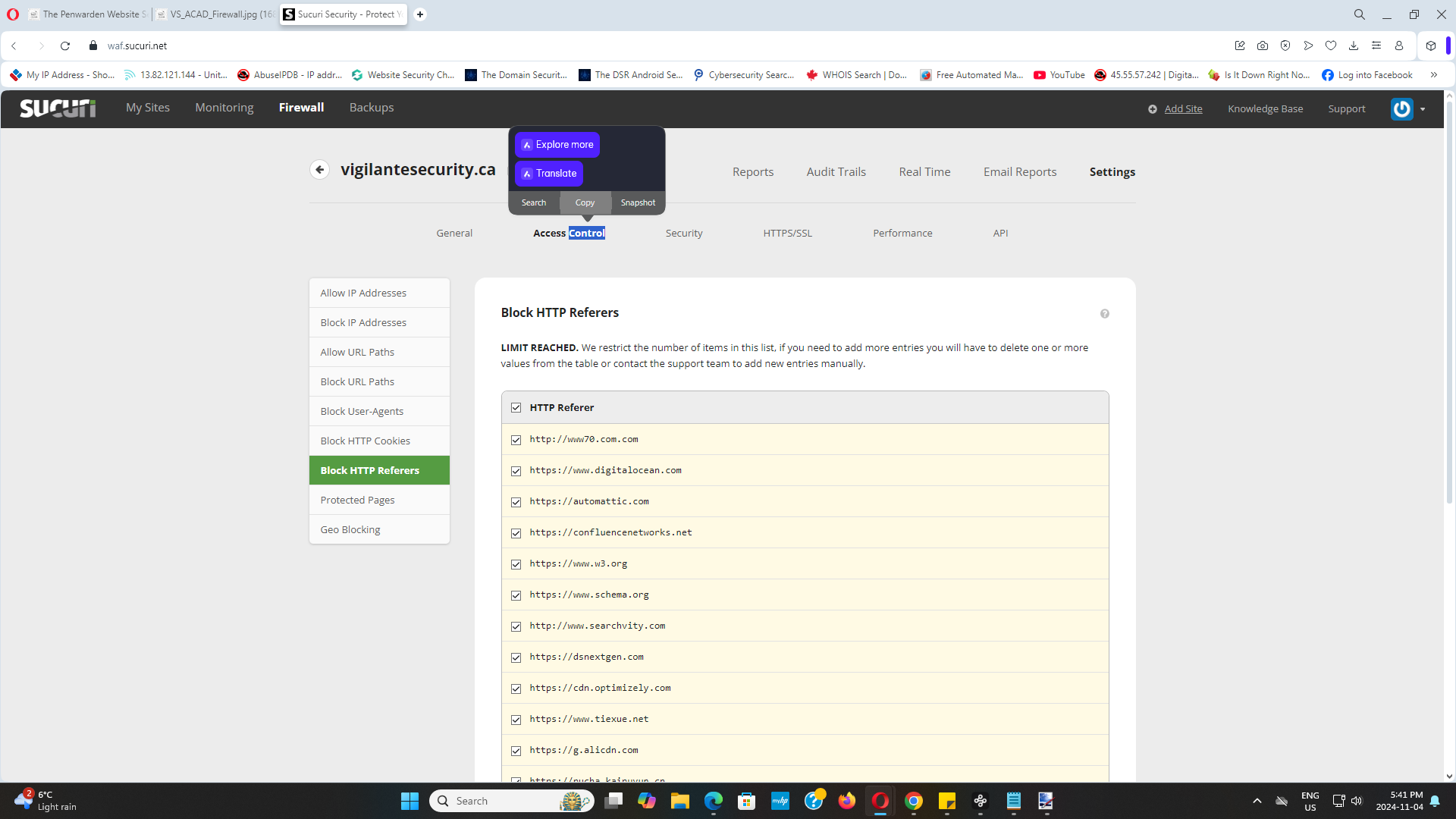
What type of firewall is a W.A.F.?
What is a W.A.F.? | Web Application Firewall explained. A W.A.F. or web application firewall helps protect web applications by filtering and monitoring HTTP traffic between a web application and the Internet. It typically protects web applications from attacks such as cross-site forgery, cross-site-scripting (XSS), file inclusion, and SQL injection, among others. What is the difference between perimeter firewall and W.A.F.? They complement each other: the network firewall blocks malicious traffic at the perimeter, while the WAF provides additional protection for web applications, ensuring comprehensive security coverage. Network firewalls and WAFs complement each other by providing defence-in-depth against different types of threats. A host-based firewall is software that works on a singular device in a network, providing a protection layer by examining incoming and outgoing traffic. It effectively filters harmful content, ensuring malware, viruses, and other malicious activities do not infiltrate the system. In environments where network security is paramount, host-based firewalls complement perimeter-based solutions. While perimeter defenses secure the broader network's boundaries, host-based firewalls bolster security at the device level. -See How Does a Host-Based Firewall Work? https://www.paloaltonetworks.com/cyberpedia/what-is-a-host-based-firewall#:~:text=Host-based%20firewalls%20protect%20individual,controlling%20traffic%20for%20multiple%20devices. |
 |
 |
 |
|
What is a keylogger and how to detect and remove it? re: Kampyle.com https://www.sophos.com/en-us/cybersecurity-explained/keylogger, help detect and prevent keyloggers. This H.A. Scotiabank Report has 10 indicators that were mapped to 8 attack techniques and 3 tactics. "What does a high entropy domain mean? Broadly, this means that domain names which are short and/or have large numbers of repeated characters will have low entropy, and domain names which are longer and/or contain large numbers of distinct characters will have high entropy. Feb 2, 2023. What does high entropy indicate? Scientists refer to the measure of randomness or disorder within a system as entropy. High entropy means high disorder and low energy. To better understand entropy, think of a student's bedroom. If no energy or work were put into it, the room would quickly become messy." |
 |
 |
 |
 |
 |
|
|
|
Where are suspicious Domains and malicious IPs found to Block?
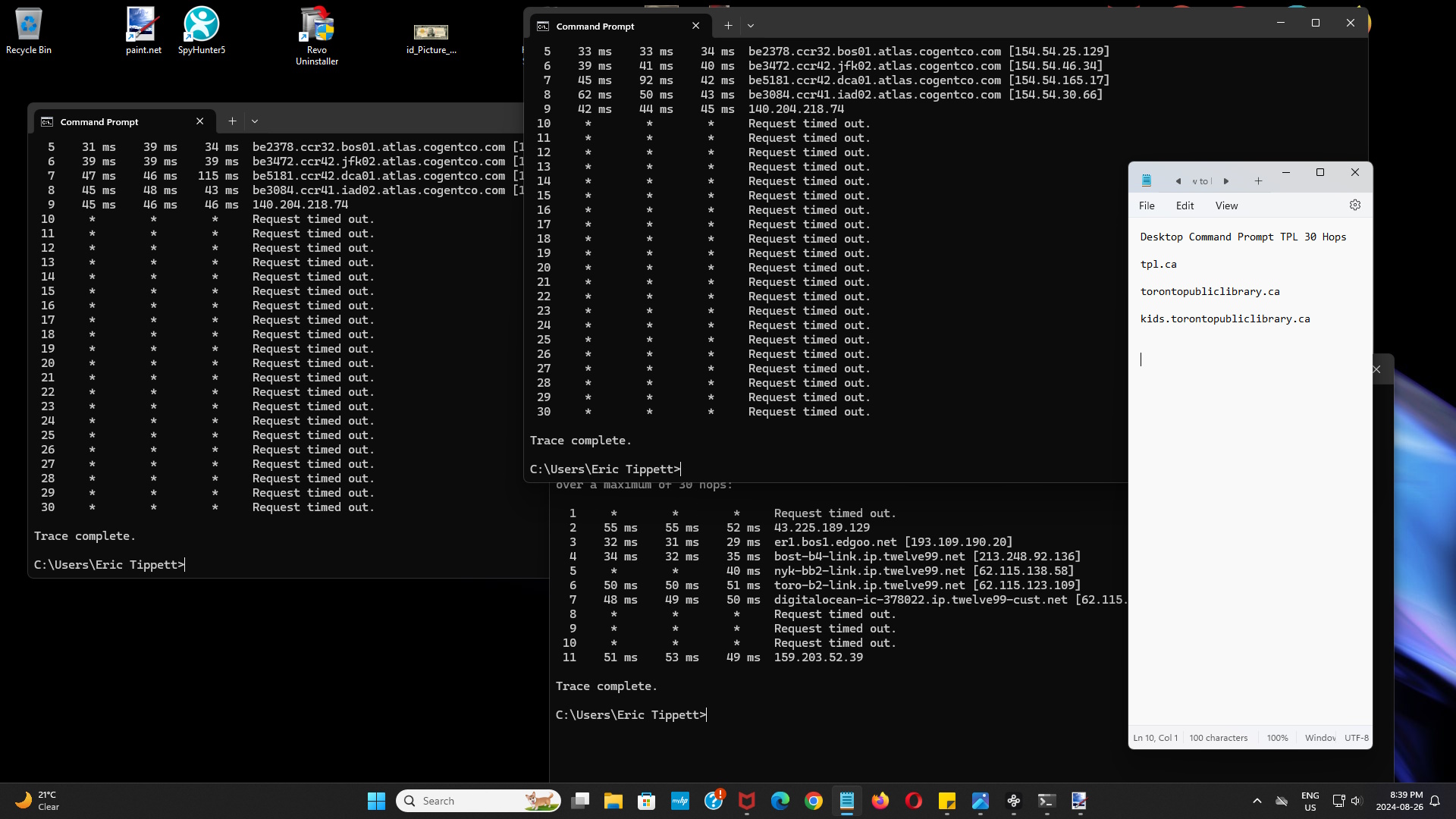
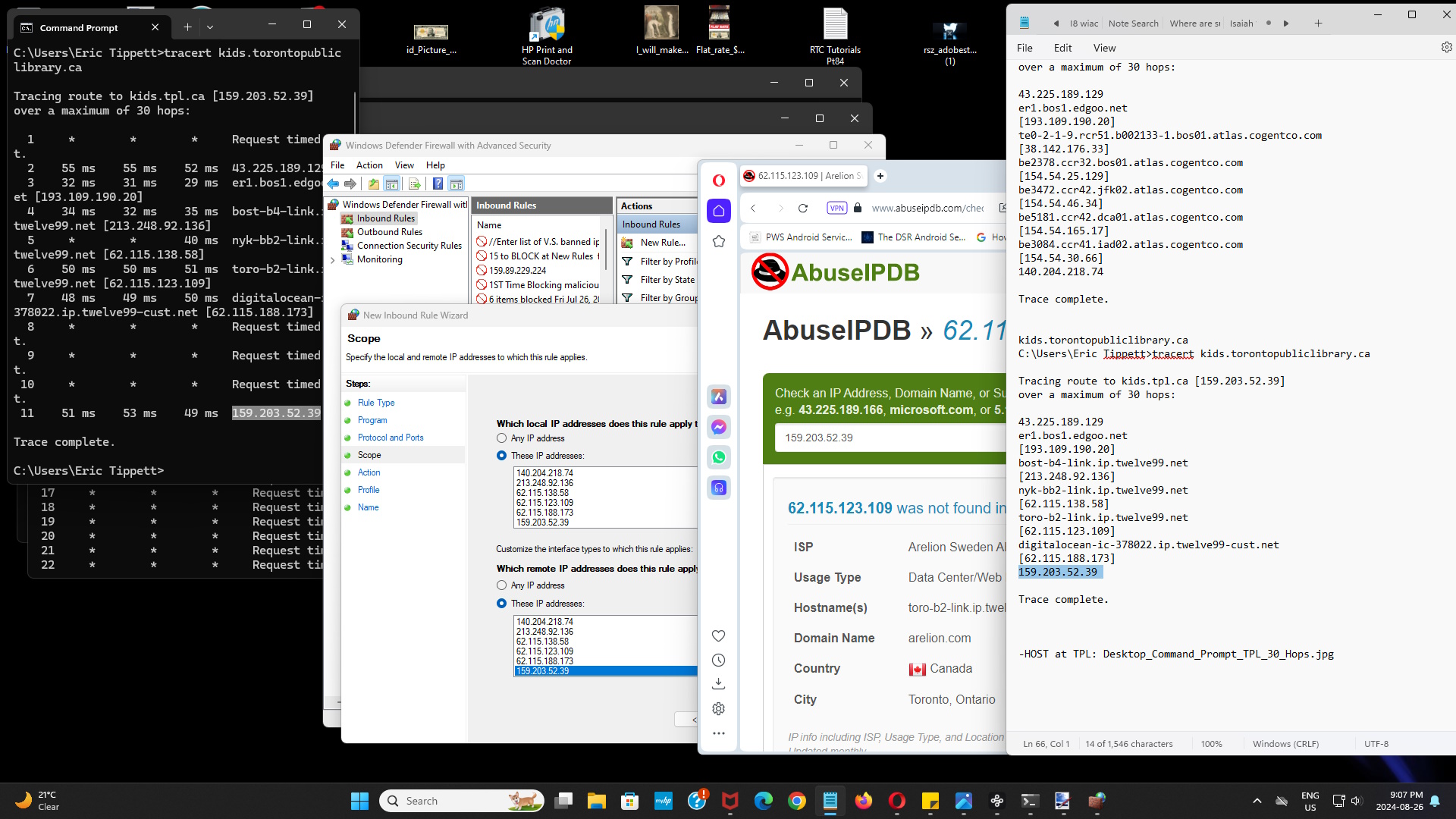
Two places to look up are at TCP VIEW and in Command Prompt. (To lock down malicious IPs please use Scotiabank Desktop New Rules (aka Windows Defender Firewall with Advanced Security) To Load up New Rules... Click in Search box, click on Command Prompt and type in:>WF.MSC Click on left Panel 'Inbound Rules.' Click on right Panel 'New Rule... Click 'Custom' Pick, Next, All programs, Next, Block the connection, Next, Next again. Add Name and optional description, Click Finish, DONE! You have protected your Computer safely denying access to malware blocking incoming malicious IPs one at a time. To Load up TCPVIEW... Download to your Computer Desktop TCPView for Windows - Sysinternals at: https://learn.microsoft.com/en-us/sysinternals/downloads/tcpview Click 'Download TCPView' (1.5 MB) On screen, click 'tcpview Application' to make changes. With all open online Windows closed and so whose Ip's are left scan as suspicious, scum floats. |
 |
 |
 |
 |
 |
![https://www.scotiabank.com/ca/en/personal.html has Malware infections as well as in Example, ie: http://xred.mooo.com to BLOCK see ACAD Firewall List, Lines [7508] - [7518]](https://vigilantesecurity.ca/gov_il_malicious_xred.mooo.com_graph.png "https://www.scotiabank.com/ca/en/personal.html has Malware infections as well as in Example, ie: http://xred.mooo.com to BLOCK see ACAD Firewall List, Lines [7508] - [7518]") |
 |
|
|
 |
 |
![In the P.W.S. Scotiabank You've Been Scanned Report is the P.W.S. Scotiabank All Culprits Access Denied Firewall List at Line # [8589]-[8595]= 7 foreign Flagged mal Hops to Block.](https://vigilantesecurity.ca/their_security_notwithstanding_html_spyware_02.png "In the P.W.S. Scotiabank You've Been Scanned Report is the P.W.S. Scotiabank All Culprits Access Denied Firewall List at Line # [8589]-[8595]= 7 foreign Flagged mal Hops to Block.") |
 |
|
Feel the comfort Website Security makes, stemming the Flow, stop the Leaking. Block the siphoning,
Spying and Espionage in it's tracks, the Trail it leaves behind can be traced back. Checkmate malware Enthusiasts, make use for the Scotiabank A.C.A.D. Firewall List, double down on security for your Computer device employ
the Scotiabank Desktop New Rules (Scotiabank D.N.R.) List, this is Malware Security in action. Also, regular Monitoring Monthly is recommended for you to keep the Scotiabank A.C.A.D. Firewall List and the W.A.F. Firewall List
fresh from renewable Techniques with new Domains from malware Enthusiasts. |
|
|